
Follows your voice.
Speed up. Slow down. Go off-script. Eyeline keeps your place and finds you when you come back.
Voice, auto & manual modes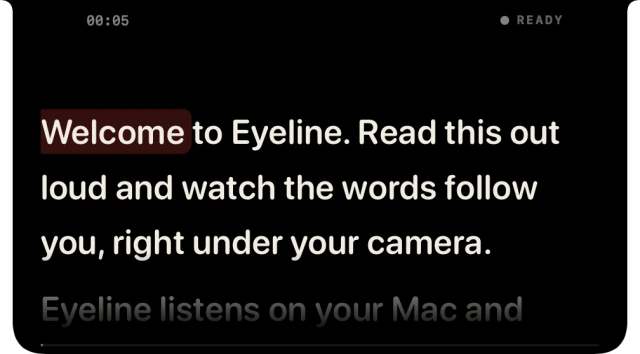 Try the demo
 eyeline
IN STEP WITH YOU
Close to the camera. In step with your voice.
Go off-script. Take a breath. We’ll keep your place.
That walkthrough, lesson, or idea you’ve been meaning to record. Get it out in your own words. You can tidy up the stumbles afterwards.
So, um… let me start again. (false start) 1.6 s pause Here’s an idea I’d love to share with you.
Select the words you don’t want in the transcript. They’re cut from your audio or video, too.
Try it on this sample take. Select a highlighted phrase, or cut them all at once.
Your original recording is always kept.
Built to take you from a rough script to a recording you’re ready to share.
Speed up. Slow down. Go off-script. Eyeline keeps your place and finds you when you come back.
Voice, auto & manual modes
Try the demo
Record audio or video while your words stay close to the camera. One place to speak, record, and review.
Audio & up to 1080p video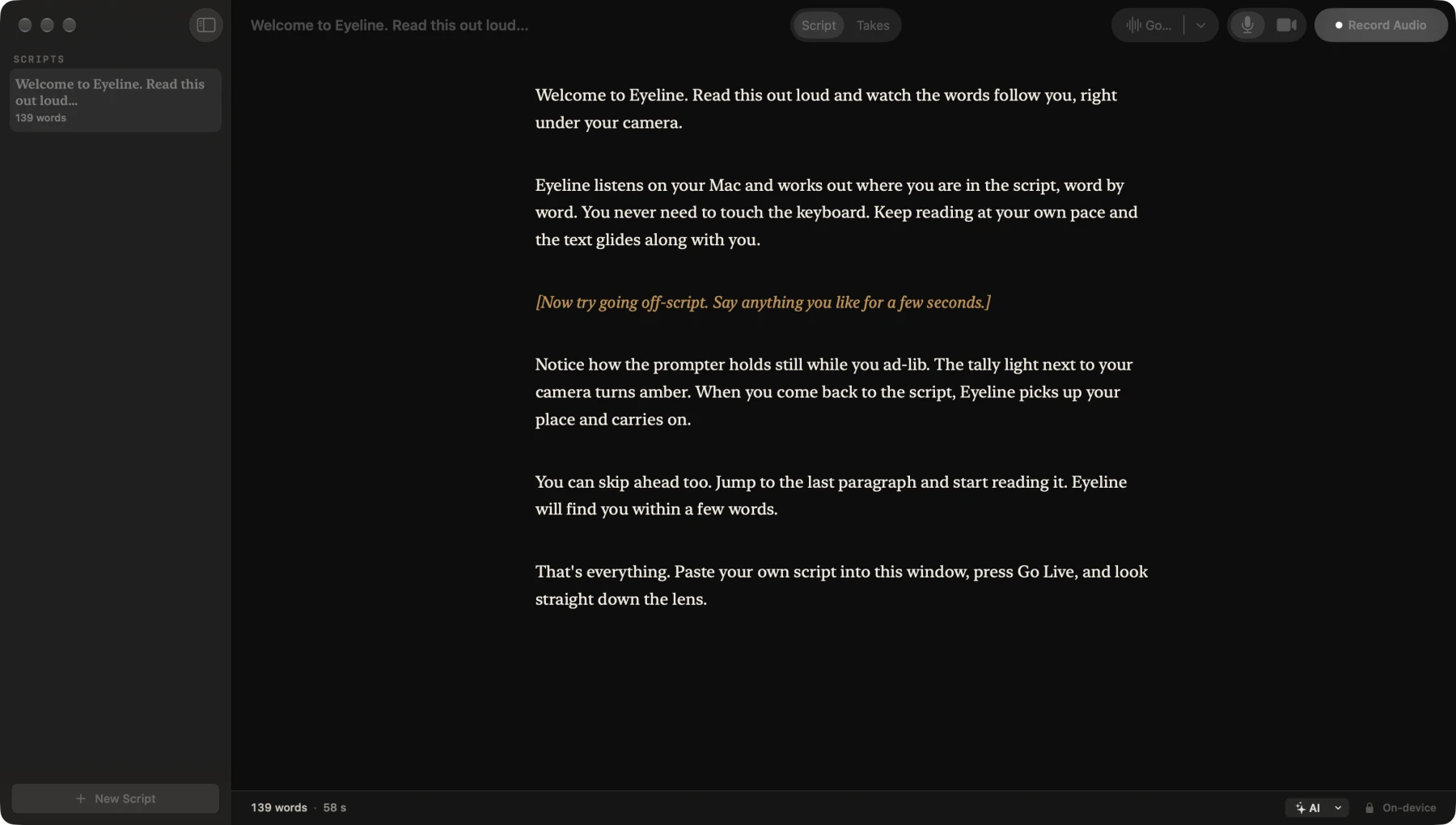
Cut through the transcript. Remove retakes, trim fillers, and shorten pauses. Your original recording stays intact.
Non-destructive editingStudio Sound reduces background noise and evens out your voice. Find your tone, from natural to broadcast.
Processed on your MacOptional AI tools help rewrite in your voice and suggest tighter lines. Review every change before it becomes yours.
Your choice of AI providerSuggested edit
I wanted to take a few minutes to walk you through how this works. Let me walk you through how this works.
Export your edited audio or video, with your cuts and sound intact. Take it straight into your next project.
Speech tracking and Studio Sound run on your Mac. Your recordings stay with you.
A word on privacyBEFORE YOU GO LIVE
No. Eyeline uses the MacBook notch when available and sits at the top of other Mac displays. It requires macOS 26 or later.
Eyeline holds your place while you ad-lib. Come back to your script, even further down the page, and it picks you up again.
Voice tracking, recording, and Studio Sound happen on your Mac. Optional AI writing and editing tools can use a provider you choose. Eyeline asks before sending text to that provider. Audio and video stay on your Mac.
Yes. Share an individual app window to keep your script out of view. Sharing your whole screen can also show the prompter.